Plugins for GLPI
MCP Server
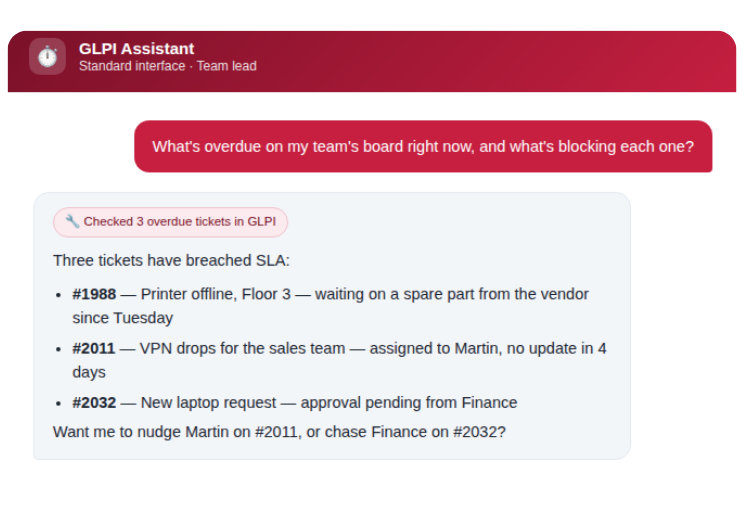
OMNICOM’s new lineup of plugins for GLPI starts with the MCP Server, which connects your GLPI instance directly to Claude and Microsoft Copilot. Tickets, projects, and knowledge base articles become one conversation away!
Request AccessWhat this plugin is
The MCP Server is a plugin that turns your GLPI instance into something an AI assistant can work with directly, and in fact, it’s built on the Model Context Protocol (MCP), the open standard for connecting AI assistants to real business systems. Instead of copy-pasting ticket numbers into a chat window or switching tabs to look something up, your team simply asks.
What your team can do with MCP server plugin?
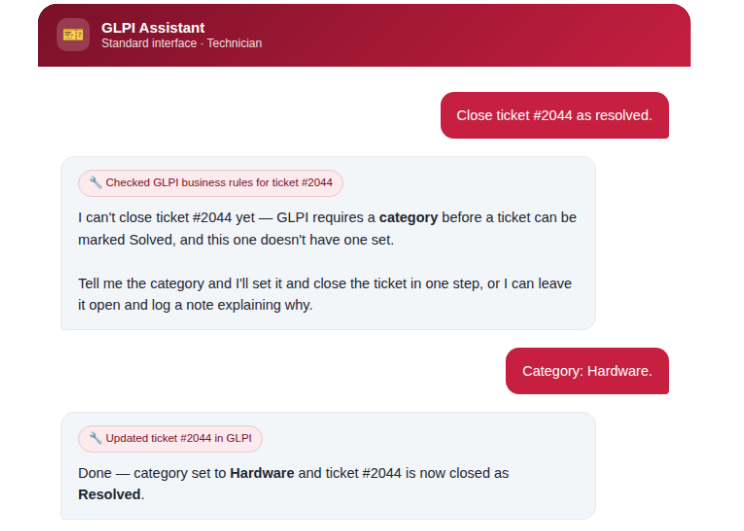
- Tickets – search, review, and update tickets in plain language, with full history, followups, tasks, solutions, and approvals in a single answer. Assign technicians and groups, add or remove requesters and observers — and when a ticket already has an assignee, the assistant asks whether to add alongside or replace, instead of guessing.
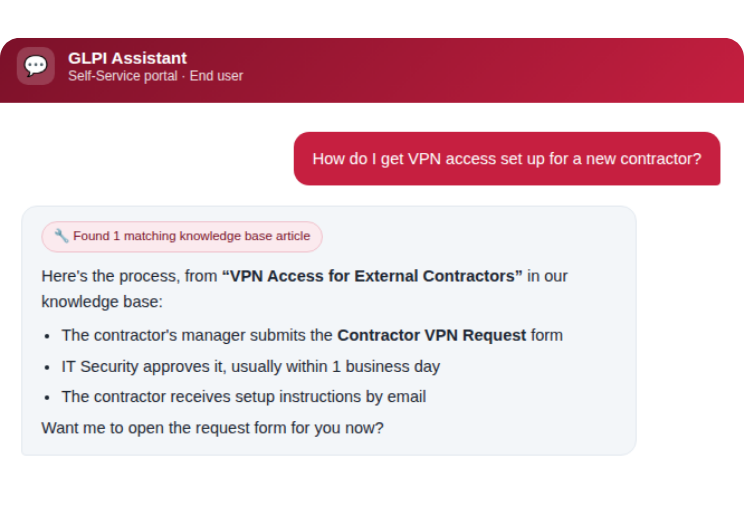
- Knowledge base – ask a question instead of guessing a keyword, and get the article back — not a list of maybes.
- Service catalog – fill out request forms conversationally, validated against your GLPI setup before anything is submitted.
- Users & groups – technicians can look up colleagues, find the right group by name or role (e.g. groups that can be assigned tickets), and manage groups without leaving the conversation.
- Projects – create and update projects and tasks, assign team members, and track costs, all without leaving the conversation.
- ITIL analytical capabilities – the AI actively checks your data against ITIL best practices and flags it when something looks off, always giving you a clear choice instead of silently changing anything.
- Ticket type check – recognizes when a ticket looks misclassified as a Service request instead of an Incident (or vice versa).
- Ticket category check – spots a missing category, or one that isn’t valid for the ticket’s type, and proposes categories that actually apply in the ticket’s entity. When the type changes, type and category are fixed together, so nothing is left inconsistent. More analytical capabilities are planned in upcoming releases.
Preview before every write (new) –before the AI creates or changes anything, it shows exactly what will be written, to which ticket, user or group, and what changes (before → after). Only what you confirmed is written.
Language check (new) – when the AI is about to add a followup or solution, it compares the language of the text with the language of the requester. If they differ, it asks which language to use, instead of silently answering a customer in the wrong one.
Multi-entity aware – the assistant knows which entities you can work in and resolves entity, category, and group names on its own. Nobody has to know internal IDs.
Why it’s worth doing
- People ask instead of navigate — that matters most for occasional GLPI users who don’t remember where a given form or filter lives.
- Real reasons, not silent failures — when a GLPI rule blocks an action, the assistant is told GLPI’s actual reason instead of the request just quietly failing.
- Your existing permissions, automatically — the assistant can only do what the logged-in user could already do in GLPI. No new access model to audit.
- Built natively, not bolted on — the plugin runs inside GLPI itself, so nothing is proxied through an external server or a shared access token.
- Independently security-reviewed — the plugin has passed an external security review, with every finding fixed and covered by a regression test suite. High-risk administrative actions (creating users and groups, fetching files from URLs) ship switched off.
- You decide what the AI may change — every write action has its own on/off switch in GLPI, and every change to those switches is recorded in an audit log. With write confirmation on (the default), nothing is written before you’ve seen a preview of it.
- Checked, not assumed — after every change the assistant re-reads the record from GLPI, so it reports what was actually saved, not what it hoped was saved.
Your subscription
The MCP Server plugin is open source — you’re not buying a licence to use the code. Your subscription is what keeps you current and supported. One year gives you:
- Continuous access to the current release – download the latest version at any time, plus every update we ship during your subscription year.
- Full access to the OMNICOM GLPI Support Portal submit bug reports and request new features or enhancements directly to the team building the plugin.
- Optional installation assistance – If you’d rather not configure it yourselves, our devs can set up and verify the connection to Claude and Copilot on your instance remotely, for a fixed additional fee.
- Security fixes are not part of the subscription: they are free of charge, published publicly on GitHub and available whether or not your subscription is active.
Pricing
| Plan | Price |
|---|---|
| Annual subscription (unlimited use, on-premise) | €400 / year, excl. VAT |
| Online installation & setup assistance (optional) | €100, one-time, excl. VAT |
Compatibility
- GLPI — version 11, on-premise installations.
- AI assistants — Claude and Microsoft Copilot today, connected over the Model Context Protocol; more assistants to follow as the standard is adopted more widely.
- Note: Listed in the official GLPI Plugins directory, reviewed by Teclib. A small GLPI core patch is currently required for full OAuth login to work correctly (it fixes a redirect issue affecting PKCE parameters). This is a temporary requirement — it will no longer be needed once the fix is included in a standard GLPI release. We provide the patch and apply it as part of setup.
Get in touch
The MCP Server is available for any GLPI 11 on-premise installation, and it’s the first of several plugins for GLPI we’re planning this year.
Ready to start? Request access, and we’ll send you everything you need to get the plugin running on your instance, or set it up for you if you add the installation assistance.
Request AccessNot sure yet? If you’d like to see it in action first, check whether it fits your GLPI setup, or simply ask a few questions before ordering, contact us and we’ll get back to you.
Frequently asked questions
Is this a software licence?
No. The plugin’s source is open. Your subscription is a year of access to ready-to-run releases, plus direct support and a say in the roadmap through our Support Portal.
What happens if I don’t renew?
The version you last downloaded keeps running. You’ll stop receiving new feature releases and lose access to the Support Portal for bug reports and feature requests until you renew. Security fixes are not affected: they are free, published publicly on GitHub and do not depend on a subscription.
Do I need a subscription to get security fixes?
No. Security fixes are free of charge and published publicly on GitHub, whether or not your subscription is active. Every release receives security support for five years from the date it is published on GitHub Releases. See the publication dates on GitHub Releases and the details in our security policy.
Can you install it for us?
Yes. Optional online installation assistance is also available as a €100 one-time add-on to the subscription.
Which AI assistants does it work with?
Claude and Microsoft Copilot today, both over the Model Context Protocol.
Do I need to modify anything in GLPI itself for the plugin to work?
Almost nothing — but there is currently one small exception: a patch to GLPI’s own core is needed for OAuth login to work reliably (a fix to how login redirects handle PKCE security parameters). This is temporary; it will be dropped once the fix lands in a standard GLPI release. It’s a small, well-documented change, and we handle applying it — included automatically if you add the optional installation assistance, or provided to your team otherwise.
Can the AI change something in GLPI without showing me first?
Not by default. With write confirmation on, every write action first returns a preview, and nothing is saved until the same request is repeated with a confirmation. An administrator can switch this off, and the language check, in the plugin settings.
Can the AI do more than the user is allowed to?
No. It works strictly within the logged-in user’s GLPI profile and entities. On top of that, your admin can switch off any write action individually, and the riskiest ones are off by default.
How do I remove someone’s access immediately?
Deactivate the user in GLPI and also revoke their OAuth token. Deactivating the account alone doesn’t end an already-authorised connection.
MCP Server in action
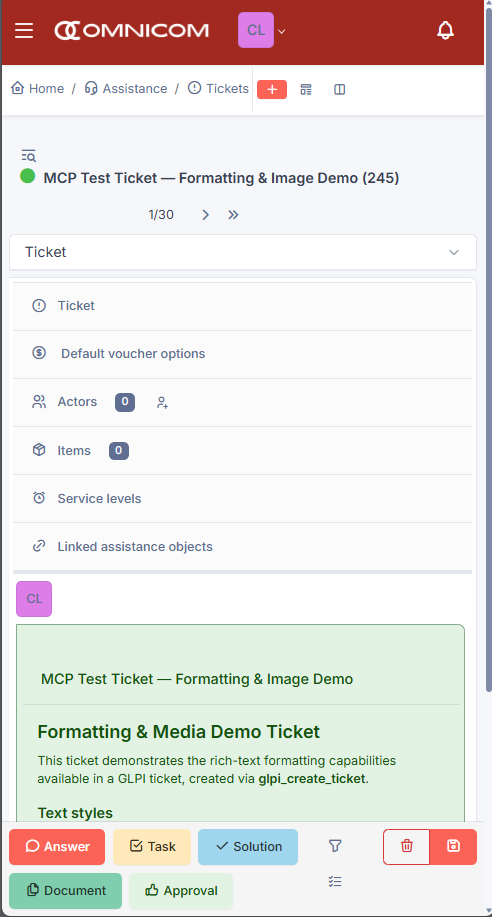
Ticket created from AI
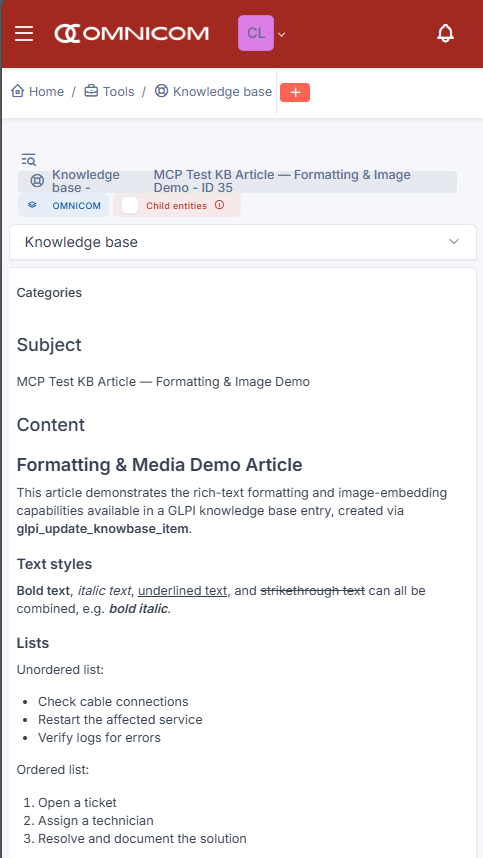
Knowledge article created from AI